🏯 Kyoto by moonlight
A tranquil night view of the old capital — temple rooftops and a five-storied pagoda beneath a full moon.
🌸 Free · Wear OS 5+
A night view of old Kyoto — a full moon over the pagoda, cherry blossoms drifting, a new kanji every day. Built for Pixel Watch, Galaxy Watch, and any Wear OS 5+ smartwatch.
Free · No ads · No tracking · One-tap install on your watch
Apple Watch user? WabiFace is only for Wear OS smartwatches — Apple Watch is not supported.
A tranquil night view of the old capital — temple rooftops and a five-storied pagoda beneath a full moon.
Cherry blossom petals fall gently across the face through the day, with softer night tones after dark.
A different Japanese character each day, paired with its English meaning. 31 in all.
Optimized for always-on display. Animations pause to save battery while time and date stay clear.
Kyoto is free forever. Each paid face is a one-time $0.99 (about ¥150, set by Google Play) — no subscriptions, no ads.
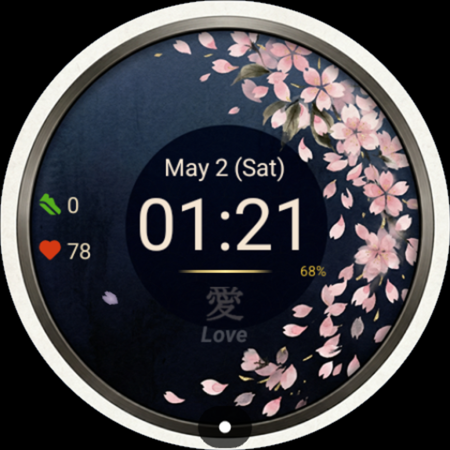
Most iconic Japanese aesthetic — cherry blossoms drifting through the day.
Paid · $0.99 · View on Google Play →

Minimal ink-inspired design — a fresh brush-stroke kanji each day.
Paid · $0.99 · View on Google Play →
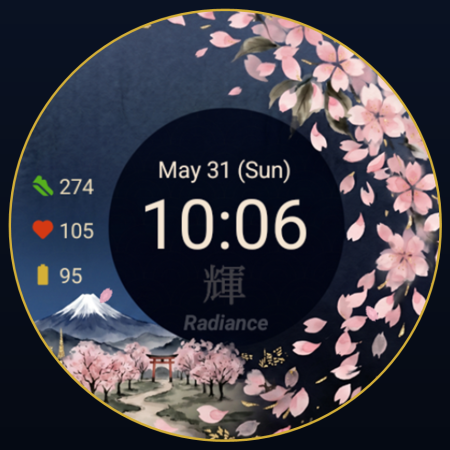
Classic Japan on your wrist — Mt. Fuji beneath drifting blossoms.
Paid · $0.99 · View on Google Play →
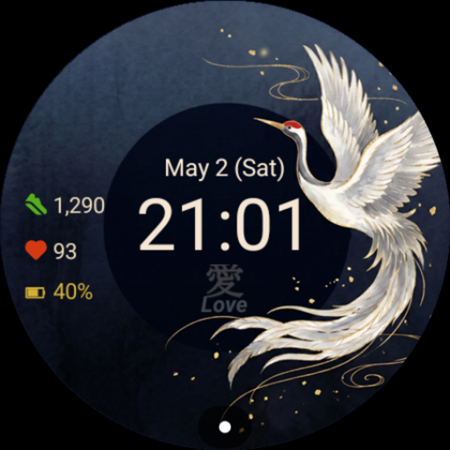
Elegant and symbolic — the crane, a sign of longevity and grace.
Paid · $0.99 · View on Google Play →
四季 · The seasons
WabiFace grows with the Japanese calendar — spring Sakura, summer Hanabi fireworks, autumn Momiji maples, winter Yuki snow, and more seasonal pieces arriving through the year. Start free with Kyoto and add the ones that speak to you.
Yes. Kyoto is a free download on Google Play — no in-app purchases, no ads, no tracking, no subscription. It is our way of introducing the WabiFace collection.
Kyoto is a free introduction to the WabiFace style. If you enjoy it, the rest of the collection (Sakura, Tsuru and more) is a small one-time purchase — that is what supports a tiny independent developer.
Pixel Watch, Galaxy Watch, and other smartwatches running Wear OS 5 or later. Apple Watch and Wear OS 4 or earlier are not supported.
Open the listing on Google Play and install — it appears on your paired Wear OS watch. Then long-press your current watch face → Customize → choose WabiFace Kyoto.
Animations pause in Always-On (Ambient) mode and a dimmed version is shown, so battery impact is minimal.
No. WabiFace is an independent product and is not affiliated with, endorsed by, or sponsored by Google LLC or Samsung Electronics Co., Ltd.

Made by HATA MANAGEMENT CONSULTING OFFICE in Kawasaki, Japan.
Privacy Policy ·
Legal Notice ·
support@wabiface.jp